
Cobbleverse Economy and Department Stores
A version-specific guide to CobbleDollars, merchant categories, generated shop search, randomized inventories, progression purchases, and a reproducible budgeting method.
Guide
CobbleDollars are an account balance shown in merchant interfaces, not an inventory stack. The verified 1.7.42 first-session screen began at zero, and the bundled cobbledollars/common.json enables earnings from NPC battles and wild-Pokémon battles. The data does not justify promising a fixed payout for every opponent, so plan from the bank value actually shown in game.
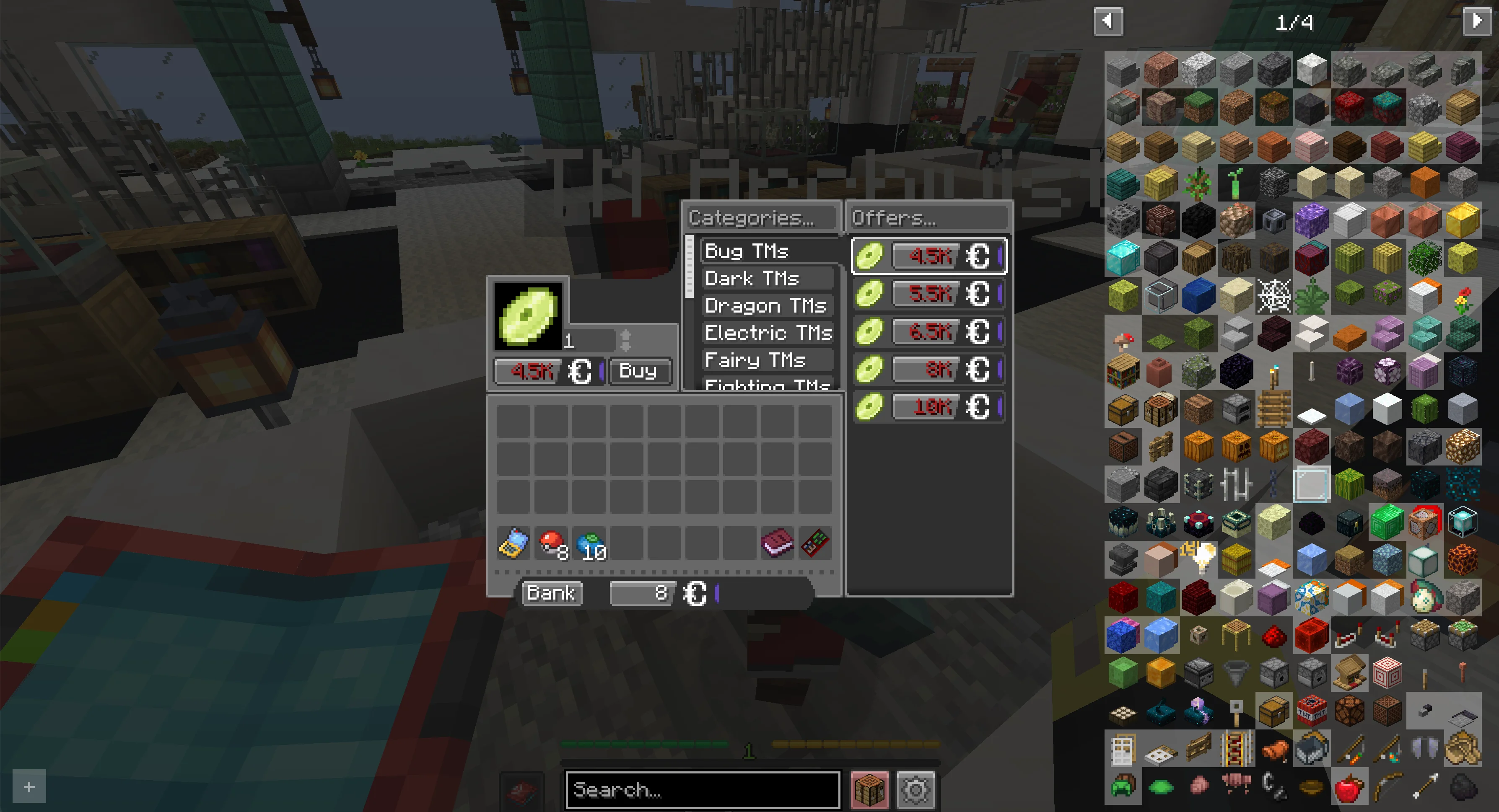
This guide explains purchase decisions. The Shop Browser remains the authority for current generated prices and merchant placement.
The generated department-store file groups offers by store family and merchant. The current families include Farmers Market, regular Store Workers, randomized Store Workers, Relic Store Workers, and randomized Relic Store Workers. Each merchant record carries its display name, offer categories, item IDs, prices, counts, source file, and whether it is randomized.
Examples include apricorn/seed sellers, Master of Stones, TM Archivist, battle-item sellers, held-item sellers, vitamins, food, technology, and other specialist inventories. A category name is not proof that every settlement has the same worker.
Open Battle & Shops, select Shops, and search by item or merchant. The results table displays Item, Price, Merchant, and Store from frontend/public/department_stores.json. Search before traveling so you know which worker name and store family to inspect.
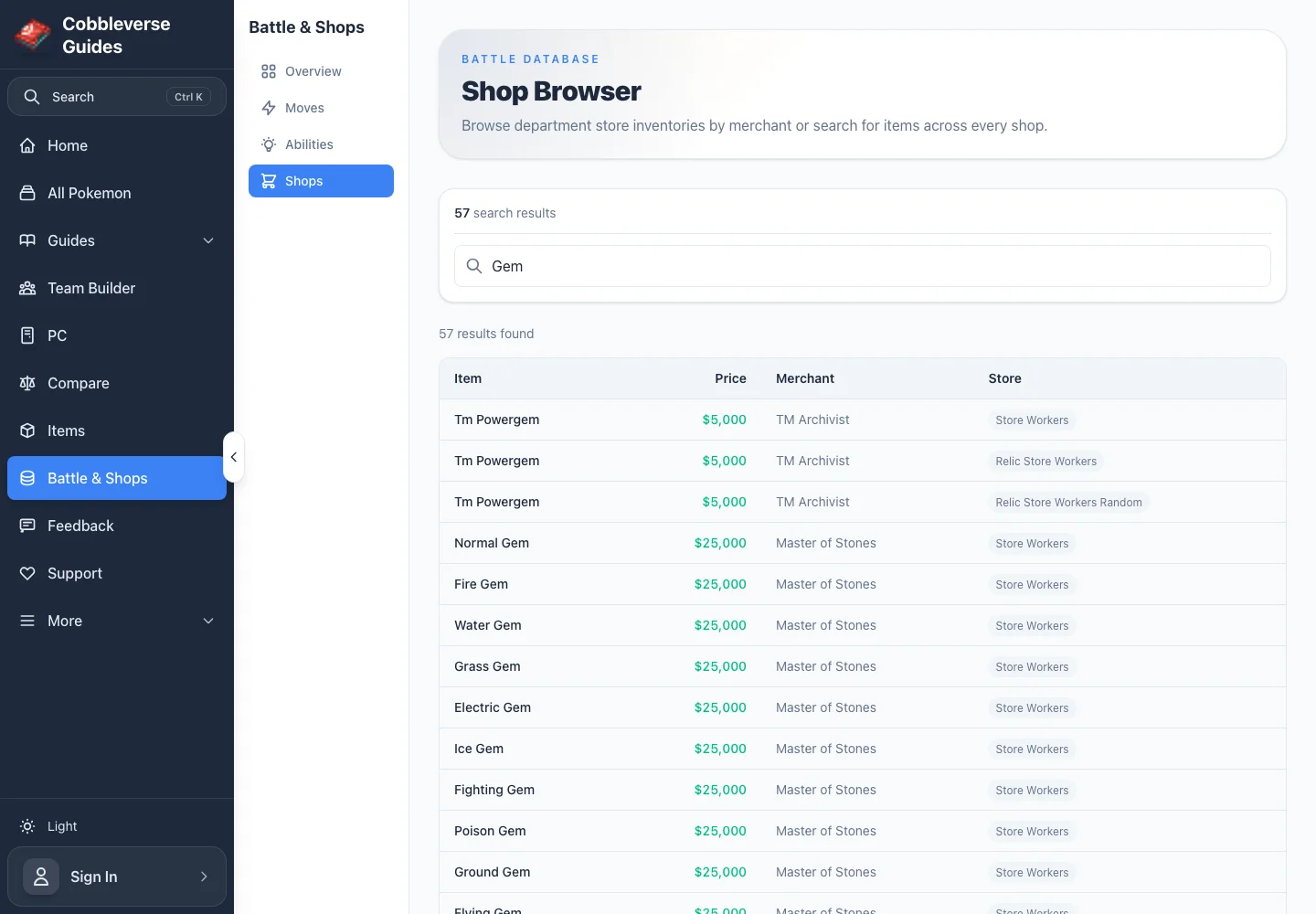
The Type Gems item page links the stable acquisition guidance to the same live browser. For moves and abilities, use the dedicated Move Shops and Ability Shops views.
Use criteria rather than a fixed shopping list:
The Progression Overview identifies the active checkpoint; Practical Team Building helps decide whether a move or item solves that matchup. A purchase is progression-critical only when the authoritative trainer, legendary, location, or item guide names it.
Do not infer acquisition from a recipe screenshot. Use maintained pages:
If a named ingredient has no item page, search its exact displayed name in the live Shop Browser and then verify the recipe against the current walkthrough.
Store families whose generated ID ends in _random contain merchants marked isRandomized: true. Their presence in the data means the offer belongs to a randomized pool; it does not promise that one permanent worker always carries it. Search results may show the same item in fixed and random store families.
For a reliable plan, prefer a fixed store_workers or relic_store_workers result when one exists. If only a randomized result exists, visit another appropriate store or wait for the server's documented refresh behavior. This repository does not currently verify a universal refresh interval.
At the 2026-07-30 snapshot, filtering the generated Shop Browser for Gem shows the Master of Stones listing type gems at 25,000 CobbleDollars each. A plan to buy one Water Gem, one Grass Gem, and one Fighting Gem therefore requires:
```text
25,000 + 25,000 + 25,000 = 75,000 CobbleDollars
`
This is a dated example, not a permanent promise. Reopen the live Gem search, copy the three displayed prices, and recalculate before buying. If the bank is below the total, rank the gems by the next verified recipe or matchup and purchase only the first required one. The linked table, not this dated arithmetic, is authoritative after data regeneration.
Sources (6)
- Official COBBLEVERSE 1.7.42 release — current release identity
- Bundled data — data-parser/data/config/cobbledollars/common.json — enabled NPC and wild-battle income categories
- Bundled data — frontend/public/department_stores.json — generated store families, merchants, randomization flags, offers, prices, and counts
- Bundled data — data-parser/extract_stores.py and frontend/src/app/battle-shops — generation and live filtering behavior
- Bundled data — site-content/items — maintained progression-material acquisition records
- Bundled data — site-content/guides/economy/images — verified in-game merchant and privacy-safe local Shop Browser captures