
Cobbleverse Structures and Radars
A data-backed guide to natural structure generation, crafted radars and locators, map results, biome limits, optional commands, and practical recovery when a target cannot be found.
Guide
Cobbleverse structures are placed by world generation, while locators and radars help you find a matching generated structure. The locating item does not create the building, bypass its biome or dimension rules, or guarantee that every named structure uses the same workflow.
Start with the detailed walkthrough for your target. A progression locator may be crafted for one Gym and inserted into a compatible regional cartography table; a legendary radar may have a separate recipe and point to one legendary structure; other locations may only document natural exploration or an optional command. The Progression Overview explains trainer locators, while Legendary Guides and Location Guides identify each route's actual mechanism.
| Category | What the bundled evidence shows | Start here |
|---|---|---|
| Progression locator | A checkpoint recipe produces a named target item for a regional structure. | Open the active region from the progression directory. |
| Legendary radar | A species or group recipe produces a radar for its documented structure. Recipes differ by encounter. | Open that legendary's walkthrough, such as Ho-Oh or Kyogre. |
| General Poke Radar | Four Iron Ingots, four Redstone, and one Locator Chip craft the shared Poke Radar used by several later radar recipes. | Check the parser-backed Locator Chip page for current acquisition sources. |
| Direct exploration or command | Some authored location guides document a biome route or an optional /locate command rather than a craftable radar. | Use the exact location walkthrough; do not substitute another structure's item. |
The Locator Chip page is the maintained source for chest and drop acquisition. This guide deliberately does not copy that changing source list.
Use the target walkthrough as a checklist:
1. Confirm the intended structure, region, and dimension.
2. Open every linked ingredient page and obtain the exact recipe shown for that target.
3. Craft the named locator or radar. If its tooltip names a cartography table, use that table workflow.
4. Keep the resulting map or locator in your inventory and travel in the direction of its marker.
5. At the marker, apply the walkthrough's biome and vertical-search advice before assuming the result failed.
Ho-Oh is one verified example, not a universal recipe. Its bundled recipe uses one Flying Gem, two Wind Charges, one each of Clever, Muscle, Resist, Genius, and Swift Feather, plus one Poke Radar. The tooltip identifies Bell Tower, the Overworld, a 10,000-block search range, and an Overworld cartography table.
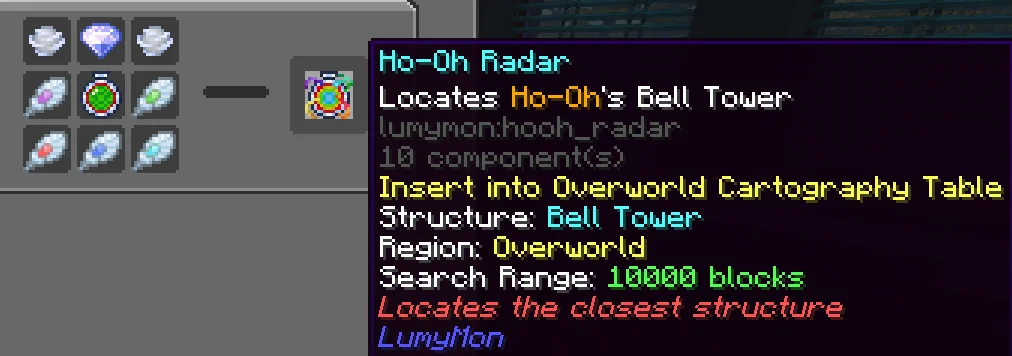
The installed Johto datapack restricts Bell Tower to the vanilla Forest biome. Its structure set uses random-spread placement with spacing 150, separation 99, and a 0.5 frequency, so finding one by ordinary travel can require substantial exploration. The radar's displayed 10,000-block range is a separate locating limit; it does not erase world-generation placement rules.
The installed Hoenn datapack demonstrates why one surface rule cannot cover every target. Kyogre's temple is restricted to Deep Cold Ocean and projected to the ocean-floor heightmap. A map marker is therefore only the horizontal destination: the structure itself is underwater.
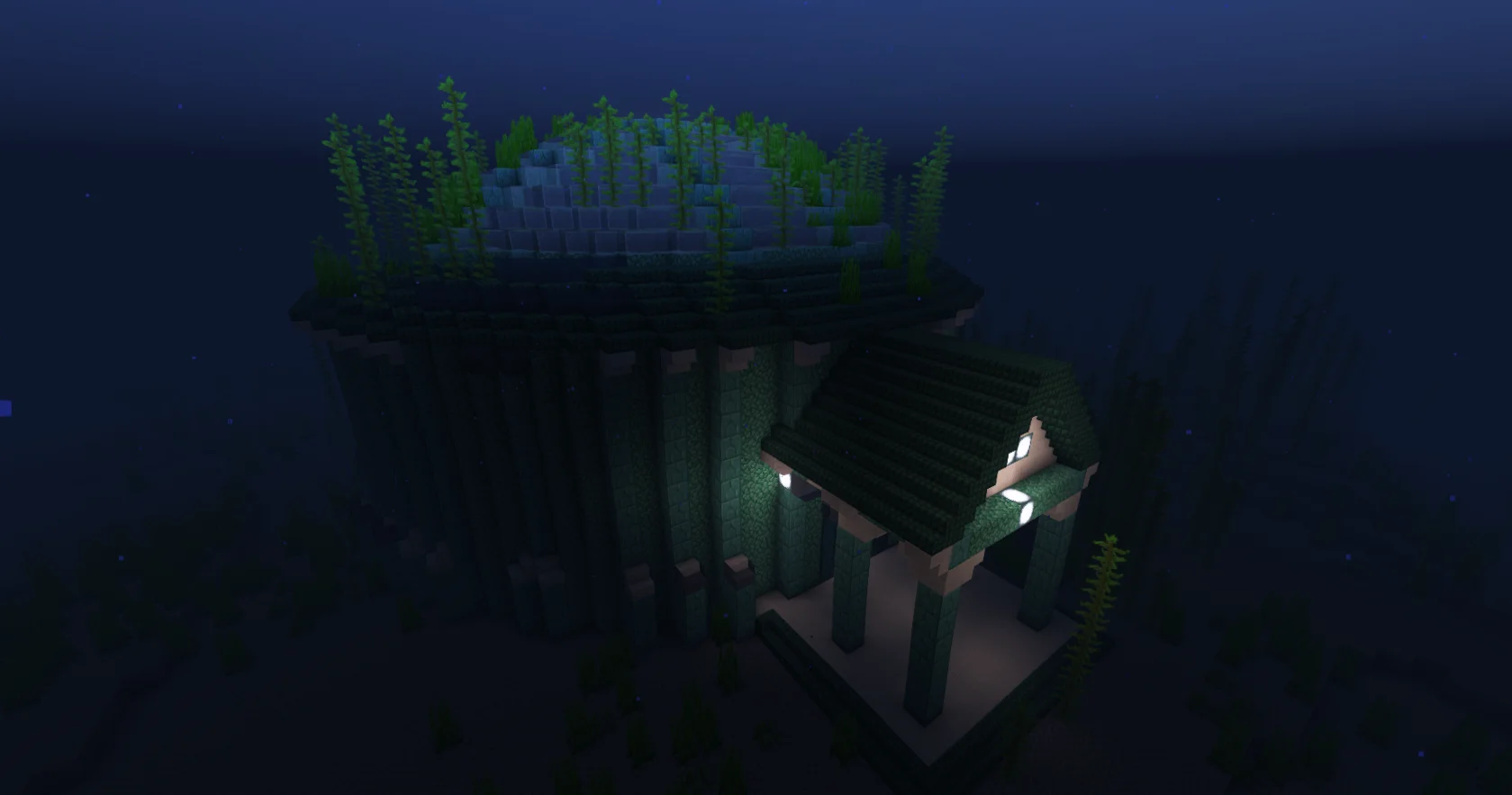
Other walkthroughs document different constraints. Lugia's Whirl Island also uses Deep Cold Ocean, while the Eon Duo's Secret Garden is associated with Deep Lukewarm Ocean and a high structure. Always read the target guide before interpreting the marker.
A successful locate result gives you a direction or map marker, not proof that the entrance is on the visible surface. Travel until the marker scale resolves, then search at the elevation and terrain described by the walkthrough. Preserve the locator until you have positively identified the landmark.
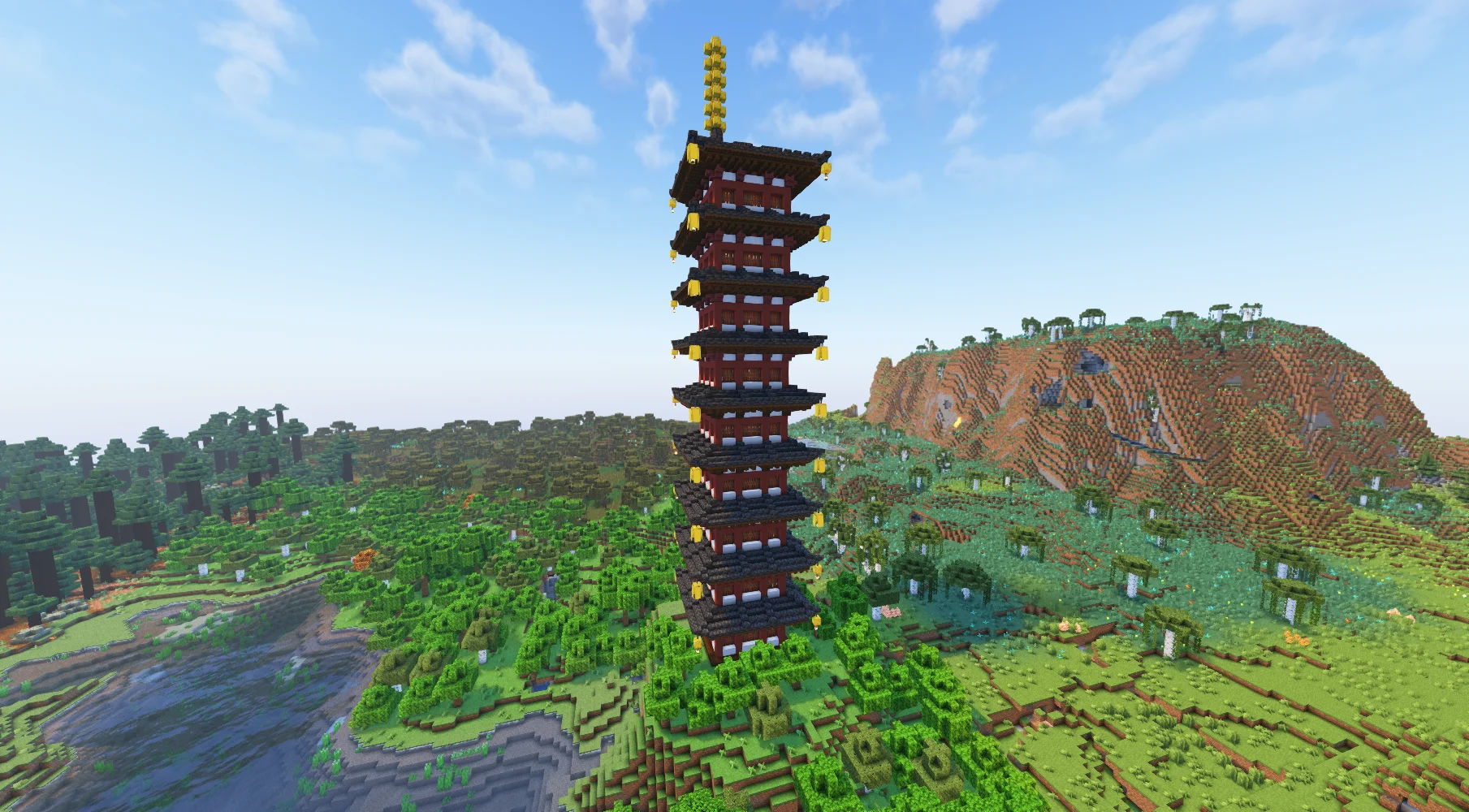
Bell Tower is recognizable as a tall tower rising above its Forest surroundings. Once you find it, switch from this mechanics guide to the Ho-Oh walkthrough for its interior route and encounter requirements.
In a cheat-enabled test world or with operator approval, a target guide may provide an exact command such as:
```text
/locate structure cobbleverse:bell_tower
`
Kyogre uses a different identifier:
```text
/locate structure cobbleverse:legendary/kyogre
`
These commands verify whether Minecraft can resolve the named structure from the current position. They are not the survival acquisition path and should not be generalized to an undocumented identifier. On multiplayer servers, command availability is controlled by server permissions.
If those pages do not resolve the failure, save the item tooltip, map state, installed version, dimension, and the relevant guide URL, then use the correction form. Do not include a private server address or account details.
Sources (6)
- Official COBBLEVERSE 1.7.42 release — release identity, Minecraft version, and loader
- Bundled data — data-parser/data/mods/LumyMon-0.6.6.jar — Poke Radar recipe and Locator Chip input
- Bundled data — data-parser/data/datapacks/extra/COBBLEVERSE-Johto-DP.zip — Ho-Oh Radar recipe, Bell Tower biome, placement, and structure identifier
- Bundled data — data-parser/data/datapacks/extra/COBBLEVERSE-Hoenn-DP.zip — Kyogre Radar recipe and Deep Cold Ocean ocean-floor structure
- Bundled data — site-content/items/material/material.json — canonical Locator Chip route and maintained acquisition records
- Bundled data — site-content/legendaries/{ho-oh,kyogre,lugia,eon-duo} — target-specific procedures and original visual evidence