
Cobbleverse Progression Troubleshooting
A decision guide for diagnosing wrong-version data, locked trainers, level or party rejection, missing recipes, failed locators, dimensions, permissions, and unresolved progression states.
Guide
Before crafting again or using a command:
1. Confirm the installed Cobbleverse version and server rules.
2. Open the Trainer Card and record the active region, trainer, and cap.
3. Match that trainer on the Progression Overview and region page.
4. Re-read the exact recipe, item identity, dimension, biome, and interaction.
5. Decide whether the failure is a prerequisite, recipe, locating, trainer, dimension, or permission problem.
6. Preserve a privacy-safe screenshot before changing world or progression data.
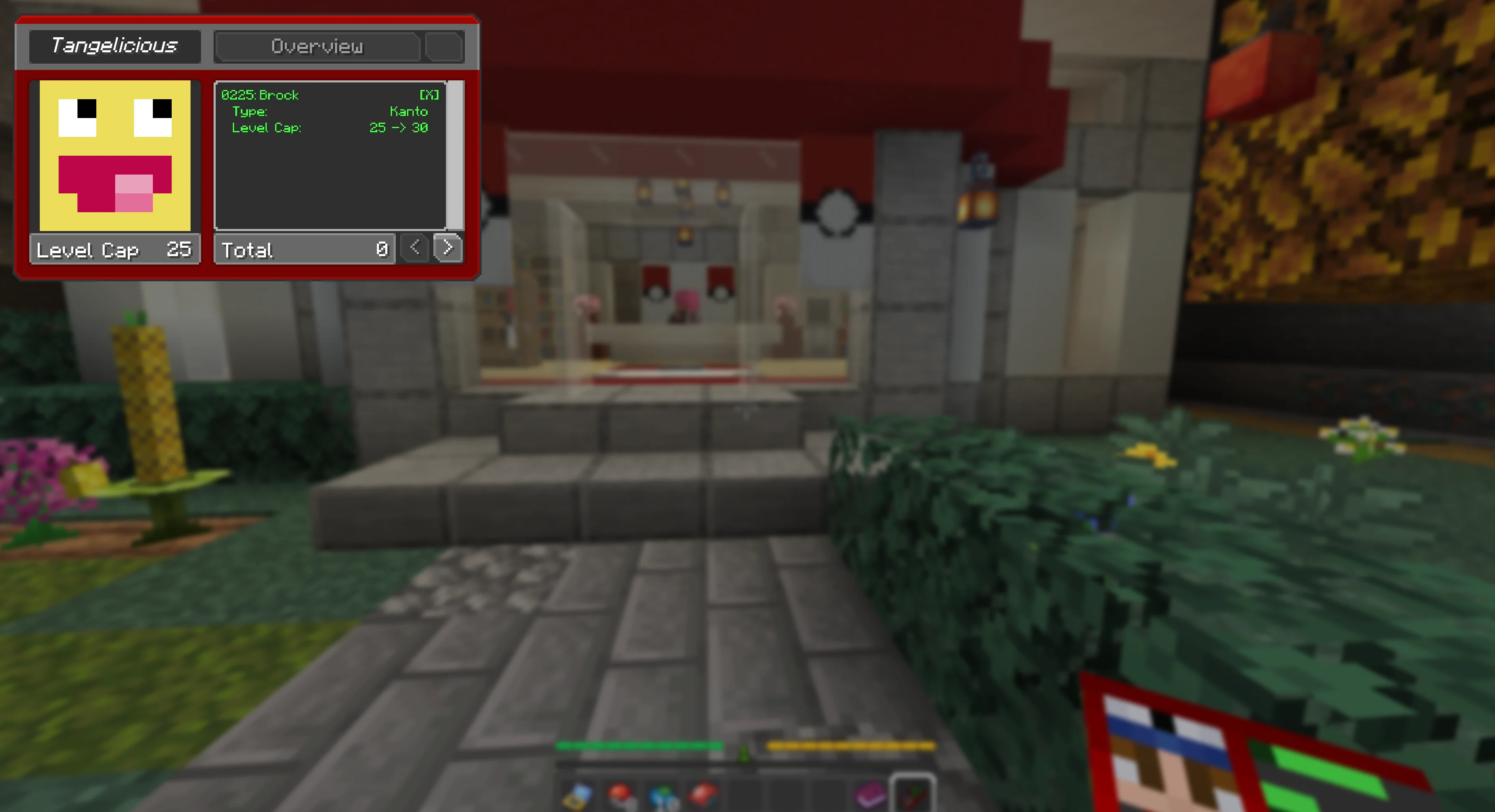
The installed RCT dialogs contain distinct states for low cap, over cap, missing Pokémon, wrong series, missing prerequisite, battle loss, and completion. The visible message category is evidence: do not “fix” a cap rejection by changing a locator.
This guide applies to COBBLEVERSE 1.7.42. Compare current recipes and routes with the maintained Version Changes ledger. If a server has different datapacks, progression configuration, or a world created under another release, its operator must identify the active rules.
Do not delete chunks, reset advancements, or replace datapacks as a first step. Record the version, dimension, target, whether the area was previously explored, and whether another player already completed or looted it. The repository does not verify one universal already-generated-chunk recovery rule.
Open the Trainer Card and select the same canonical checkpoint on the region page. Kanto, Johto, Hoenn, and Sinnoh each use ordered visible chains. Hoenn's old hoenn_pat query is an alias of canonical Pat and Tell; hidden Lyris is not inserted into the visible route.
Use the regional directory to identify the canonical next trainer. Commands that force progress bypass the intended chain and require operator-approved recovery evidence.
Compare every ingredient by exact displayed item, quantity, and namespace-backed item page. Similar wings, relics, or gems are not interchangeable. Search the Items directory and Shop Browser, then return to the authoritative trainer or legendary guide.
If the recipe is a locator, also confirm the output names the intended checkpoint or structure. A valid recipe for another region is still the wrong recovery action.
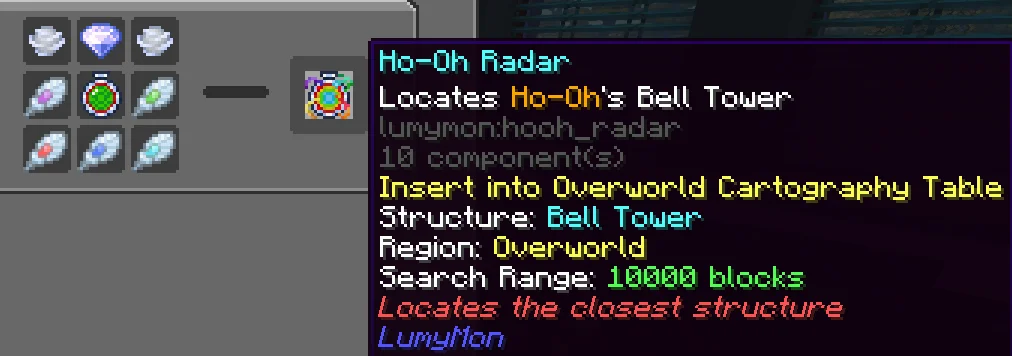
Use Structures and Radars for the full decision path. Check the tooltip before using the item: dimension, target, cartography table, and range can differ.
Open the exact encounter guide. Giratina, Darkrai, and Arceus use different portals, prerequisite items, and entry interactions. A command or portal from one is not a substitute for another.
Check that the prerequisite was obtained from the preceding linked route, held in the required state, and used at the documented place. If a return portal is missing or the server blocks dimension travel, preserve the inventory and coordinates privately for the operator; do not publish addresses or teleport blindly.
/locate, /tp, and progress-repair commands require cheats or server permission. Survival walkthroughs do not depend on them. When a command is suggested for testing:
If the command is unknown or denied, use the documented survival route. Permission failure does not prove the structure is absent.
Collect:
Then open Contact and Corrections. The team can review site data and guide claims, but this is not official modpack or private-server support. Do not send passwords, tokens, or credentials.
Sources (6)
- Official COBBLEVERSE 1.7.42 release — current release identity
- Bundled data — data-parser/data/datapacks/COBBLEVERSE-RCT-DP-v20.zip — explicit dialog branches for caps, party, series, prerequisites, battles, and completion
- Bundled data — frontend/public/trainers.json and progression indexes — canonical visible order, aliases, hidden records, rosters, and generated planning caps
- Bundled data — site-content/guides/{progression,structures-and-radars} — authoritative version, locating, and recovery behavior linked rather than duplicated
- Bundled data — site-content/progression_guide and site-content/legendaries — route-specific recovery and dimension procedures
- Bundled data — site-content/guides/troubleshooting/images — original current-version Trainer Card and locator evidence